- 11:40 PMYou close your laptop
- 1:12 AMSources gathered
- 3:05 AMFirst draft written
- 7:30 AMFinished deck delivered
Keeps going when you leave
Close the lid, close the tab. The task keeps moving in your cloud workspace.
ClawHarbor is an always-on AI workspace in the cloud. Hand it a goal and an agent researches, writes and builds in a private environment of its own — then hands you finished reports, spreadsheets, web pages and code.
Web · macOS · Windows · iOS · Android
Q3-competitor-review.pptx
12 slides · ready
Key findings
Q3 Competitor Review
+38%
4.2×
#1
Built on frontier models from
 OpenAI
 Anthropic
 Google Gemini
 DeepSeek
 Qwen
QwenAlways on
Tasks run in your cloud workspace — whether or not your laptop, browser or connection is still on.
Close the lid, close the tab. The task keeps moving in your cloud workspace.
Files, code, tests and a record of every step — ready to preview, download or refine.
Publish “Landing page refresh” to a public URL?
Before it deploys, publishes or touches anything sensitive, it stops and asks you first.
Every user gets an isolated cloud environment. Tasks, files and history stay separate.
Deliverables
Describe the outcome. Get back files you can open, send and ship.
Pitch decks, reviews and proposals.
Briefings with cited sources.
Cleaned data, summaries and charts.
Plans, minutes and how-to guides.
Landing and event pages with live preview.
export function countdown()
- return null
+ const left = end - now
+ return format(left)
}
Small tools and scripts, with reviewable diffs.
Everywhere you work
Start anywhere. Cloud tasks stay in sync across web, desktop and mobile — and the desktop app can work right inside a folder on your computer.
The full workspace, nothing to install. Projects, files, plans and billing in one place.
Everything on the web, plus local folders: pick a folder and the agent works on it in place — no upload first.
Start tasks, add details and approve actions from anywhere. Get notified the moment work is done.
How it works
Sign in with email, Google or Apple, then verify your phone number to start a free 14-day Go trial. Your cloud workspace is set up for you.
Say what you need in a sentence. Attach materials, or point the desktop app at a folder.
Follow progress any time. Preview and download when it is done — or keep refining in the same task.
Use cases
Founders & consultants
“Turn these three research notes into a 10-slide investor deck.”
Research & analysis
“Track this week in AI short-form video and write me a sourced briefing.”
E-commerce teams
“Analyze 200 product titles against competitor keywords and suggest better ones.”
Builders
“Build an event sign-up page with a form and a countdown.”
Trust
Each user gets a separate cloud workspace. No one else sees your tasks or files.
High-risk actions pause and wait for your approval.
Plan usage and Harbor Credits are tracked separately. When your allowance runs out, usage pauses — no surprise charges.
Download your work at any time, and delete your account whenever you want.
Pricing
One subscription for web, desktop and mobile. Beta pricing is the same as launch pricing.
For everyday research, documents and lighter tasks.
≈ US$10 / month
1×plan usage · rolling 7 days
For people who hand off work every day.
≈ US$20 / month
2.14×plan usage · rolling 7 days
For heavy, long-running and parallel work.
≈ US$98 / month
8.57×plan usage · rolling 7 days
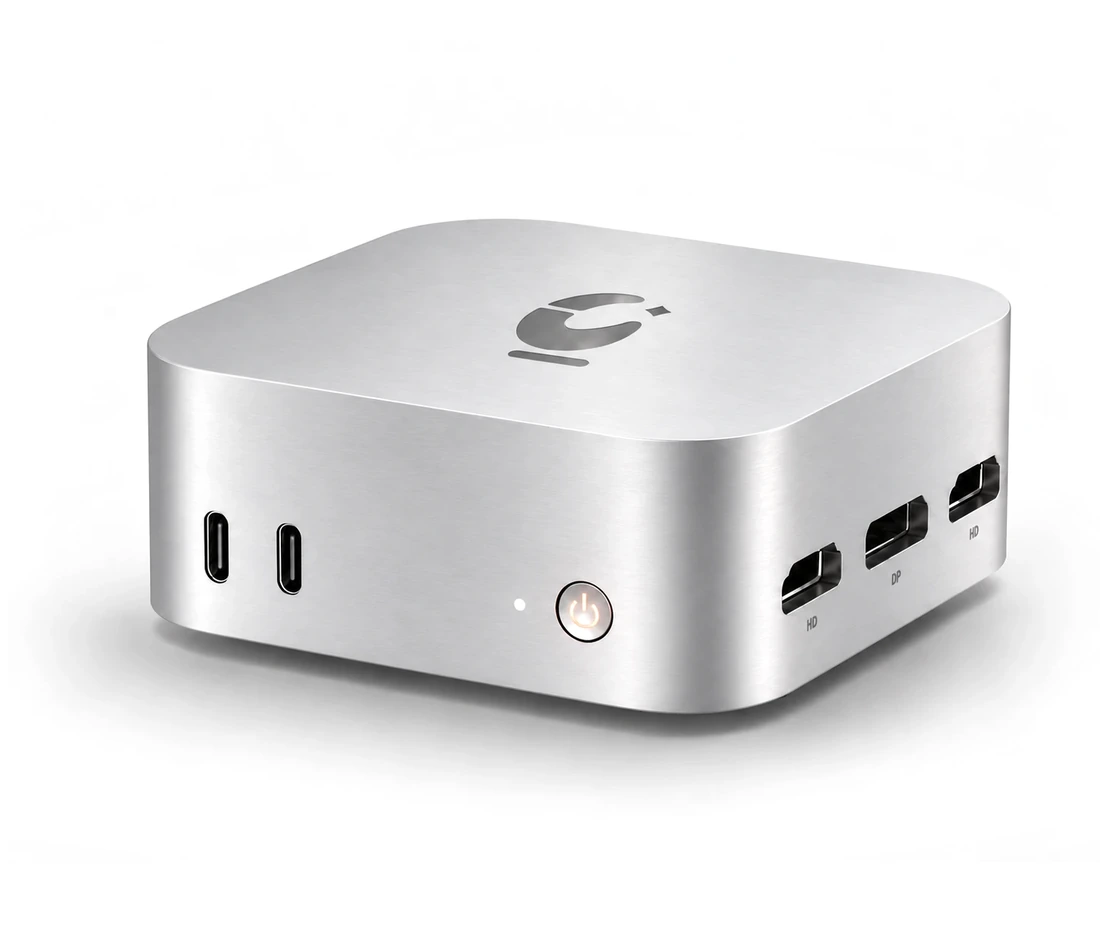
ClawHarbor / Hardware
Your workspace, on your desk.
A quiet, dedicated machine for people and teams who want their agent close at hand. More details soon.
FAQ
Click “Start your free trial” and sign in with email, Google or Apple. Verify your phone number and you can use Go free for 14 days — no application, no waitlist.
No. The web workspace runs in your browser. Add the desktop app to work in local folders, and the mobile app to follow along on the go — all three share one account and plan.
Files from cloud tasks live in your own cloud workspace. When the desktop app works in a local folder, it reads and writes that folder on your computer. Model requests go through the ClawHarbor model gateway to the provider of the model you use. Retention and deletion follow our privacy policy.
New paid usage pauses by default — nothing is charged silently. Wait for the rolling 7-day window to recover, upgrade your plan, or turn on extra usage to draw from Harbor Credits.
Auto picks an available model for each task, or you can choose one yourself. The model list varies by region and version; the workspace always shows what is available to you.
Alipay, WeChat Pay and cards are supported, billed in CNY. Card subscriptions can be cancelled at any time and you keep the paid period. Refunds go back to the original payment method under our refund policy.
New users try Go free for 14 days.